In the Android app · Beta
Paint for the whole job, room by room.
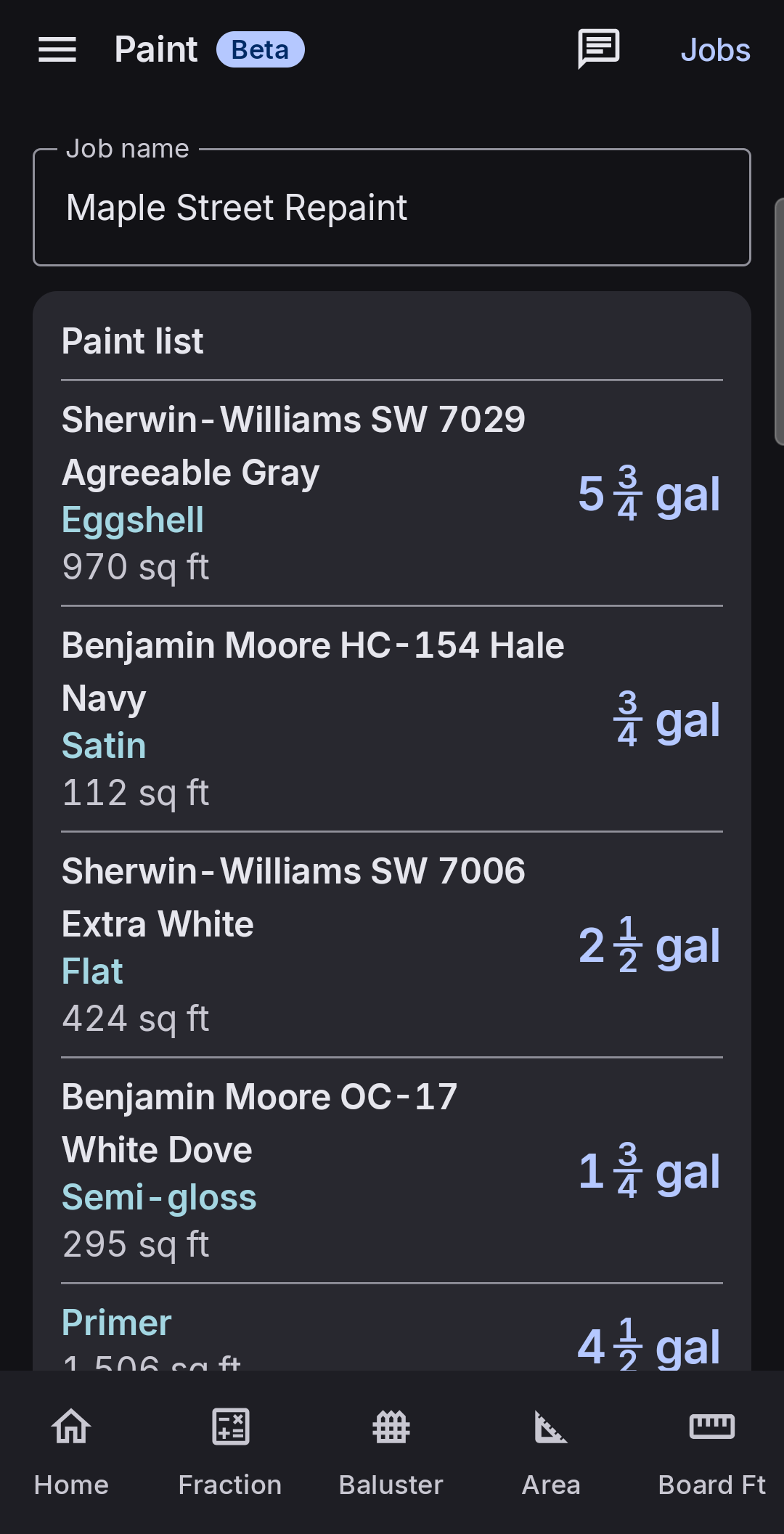
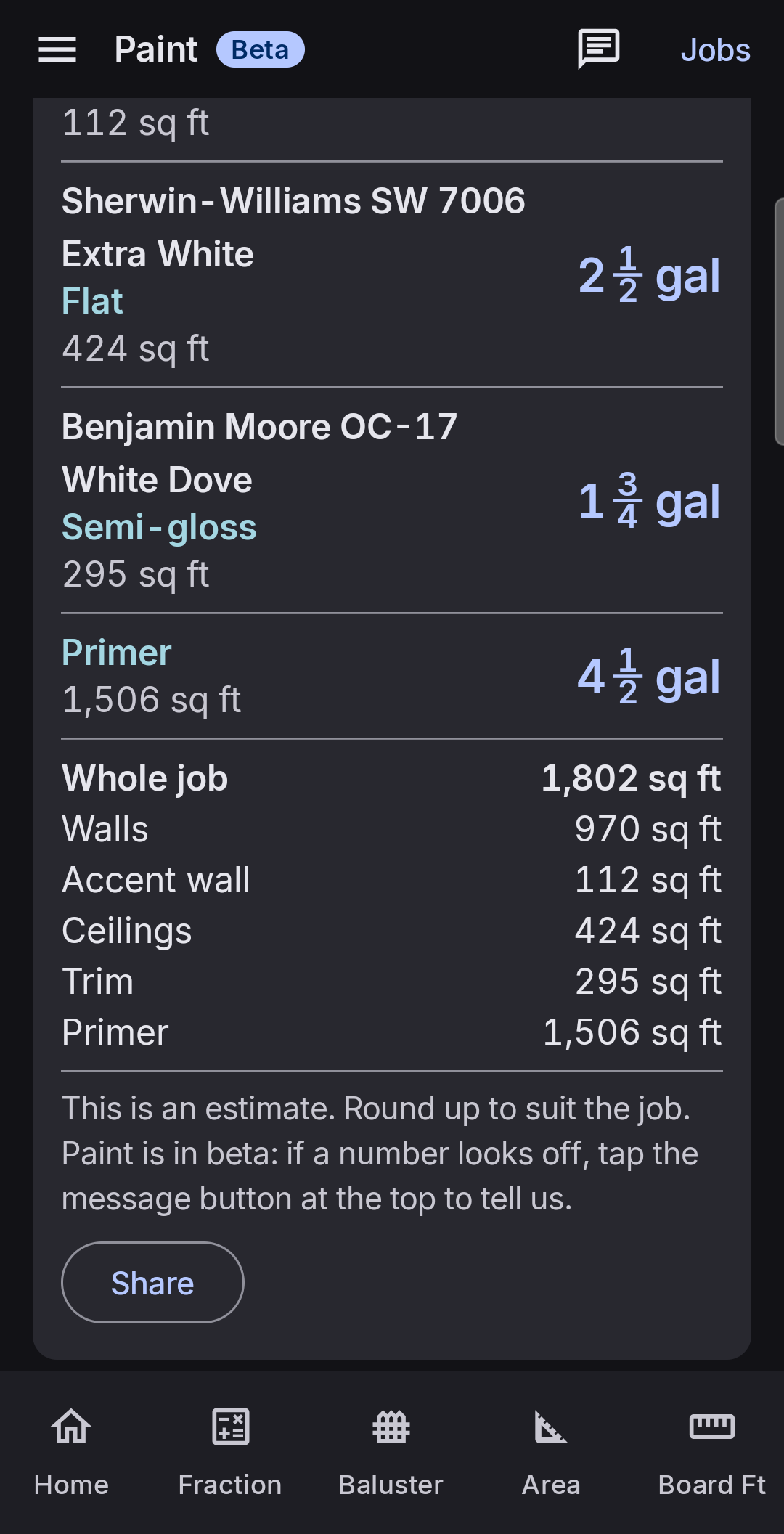
Enter your rooms once. BuiltWright Calcs adds up walls, ceilings, trim, closets, and primer, then gives you gallons for each color and sheen, plus the square feet you need to price the work.
Download free for AndroidFree · No ads · No signup · Works offline · Android 10 or later
Built by a carpenter. Checked by painters.
BuiltWright Calcs is made by a finish carpenter, not a painter, so Paint is marked Beta until painters have put the numbers to work. It gives you a solid estimate, and the app says so: round up to suit the job. If a number looks off, tap the message button at the top of the screen and tell the developer. That feedback is how the numbers get checked.
How it works.
Jobs and rooms
Save as many jobs as you need, each with its own rooms. Give a room its length, width, and ceiling height in feet and inches, and switch on Vaulted ceiling to allow extra for the slope. Duplicate a room to set up similar ones fast.
Set the paint once
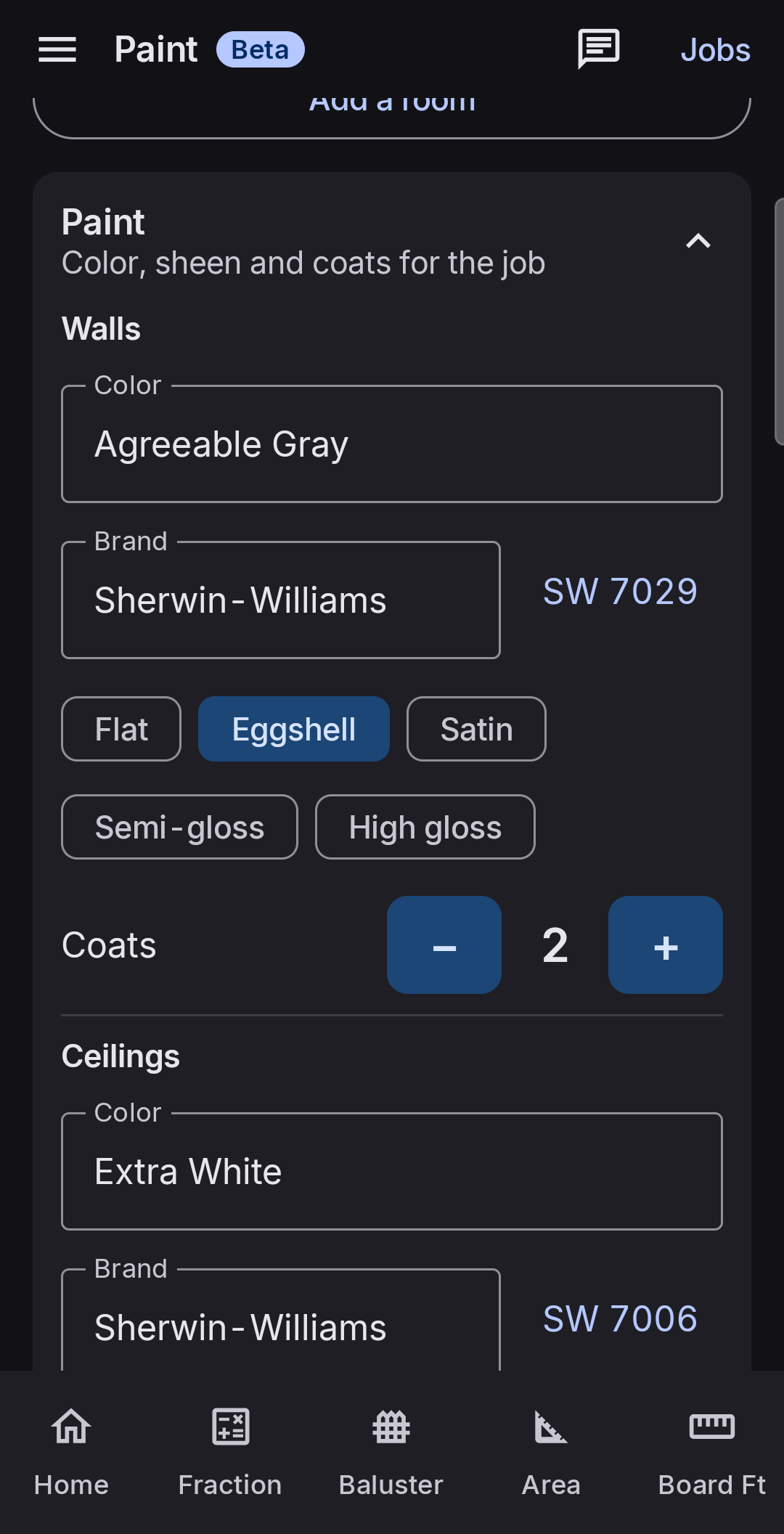
Pick the color, sheen, and coats for walls, ceilings, and trim for the whole job. Every room follows along unless you change something for just that room. Add primer where you need it, set your coverage per gallon, and give any room an accent wall with its own paint.
Doors, windows, and closets
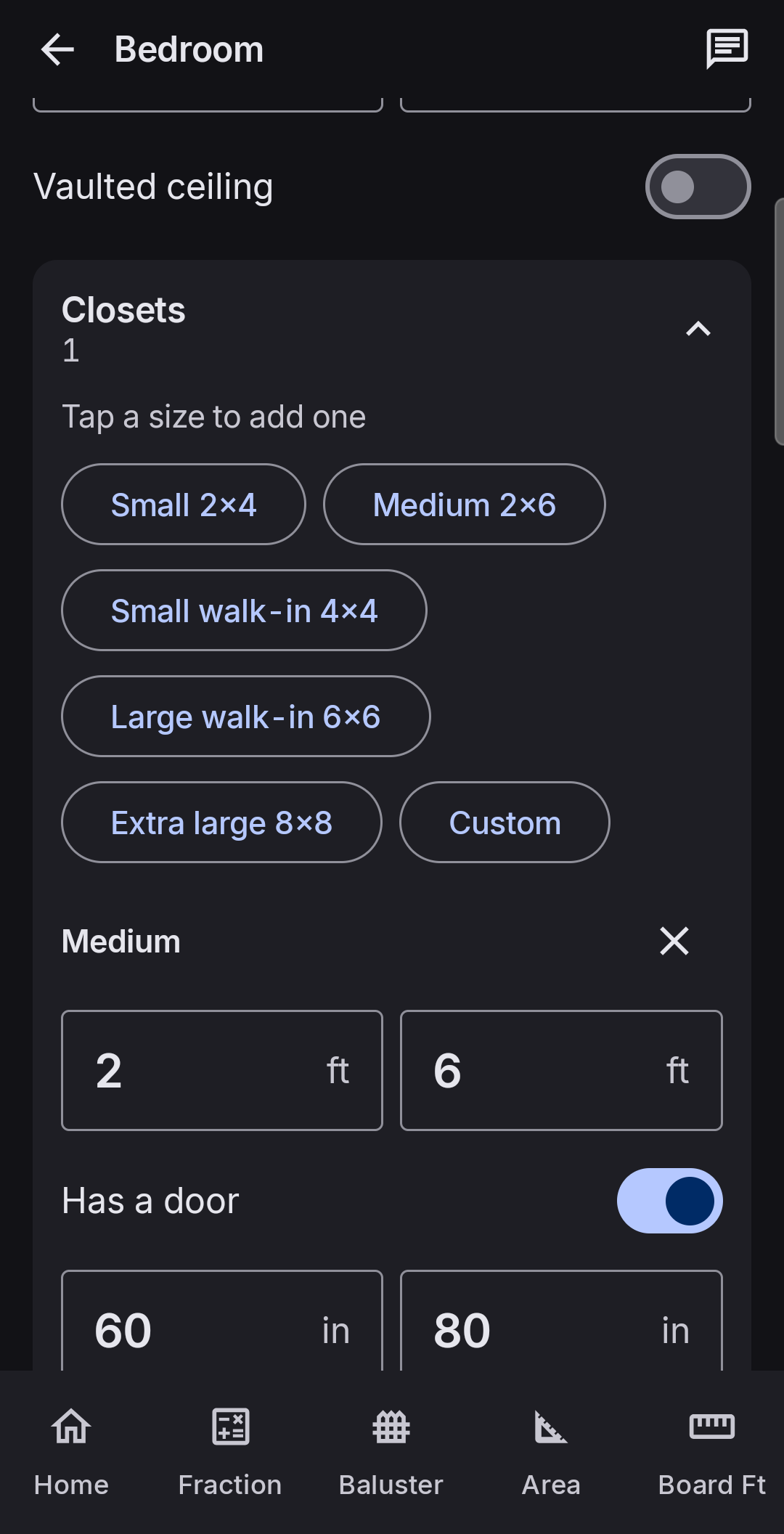
Add doors with any size and count, and mark the ones that only get painted on one side. Choose cased windows or sill and apron. Tap a closet size to add one, door included, from a small reach-in to an extra large walk-in, or enter your own.
Trim that matches the room
Turn on baseboard, crown, chair rail, doors and jambs, door casing, and window trim, each with its own height. Set wall depth for interior and exterior walls, so jambs and window returns come out right, even on thick old walls.
Gallons that add up across the job
When the same paint is used in several rooms, it's added up across the whole job before rounding, so you don't buy a rounded-up amount for every room. Gallons round up to the next quarter.
Share it for pricing
Share sends the estimate as text, by message or email: each paint with gallons and square feet, the job's square feet for walls, accent wall, ceiling, trim, and primer, then the same breakdown room by room.
Remembers your colors
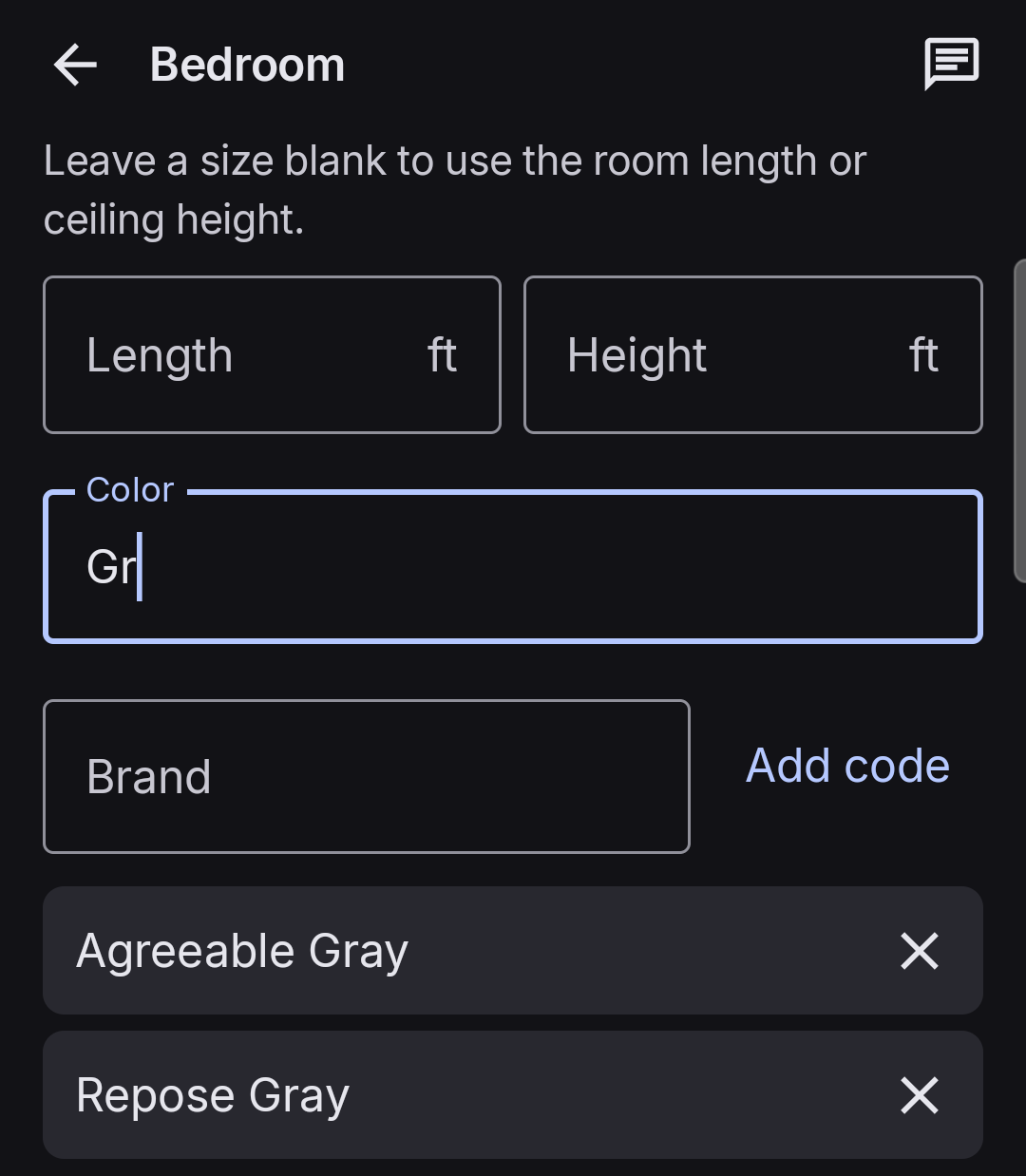
Paint saves each color you use with its brand and code, like SW 7029. Start typing and it suggests matches. Pick a brand to see its colors, or pick a color to see which brands carry it.
On your home screen
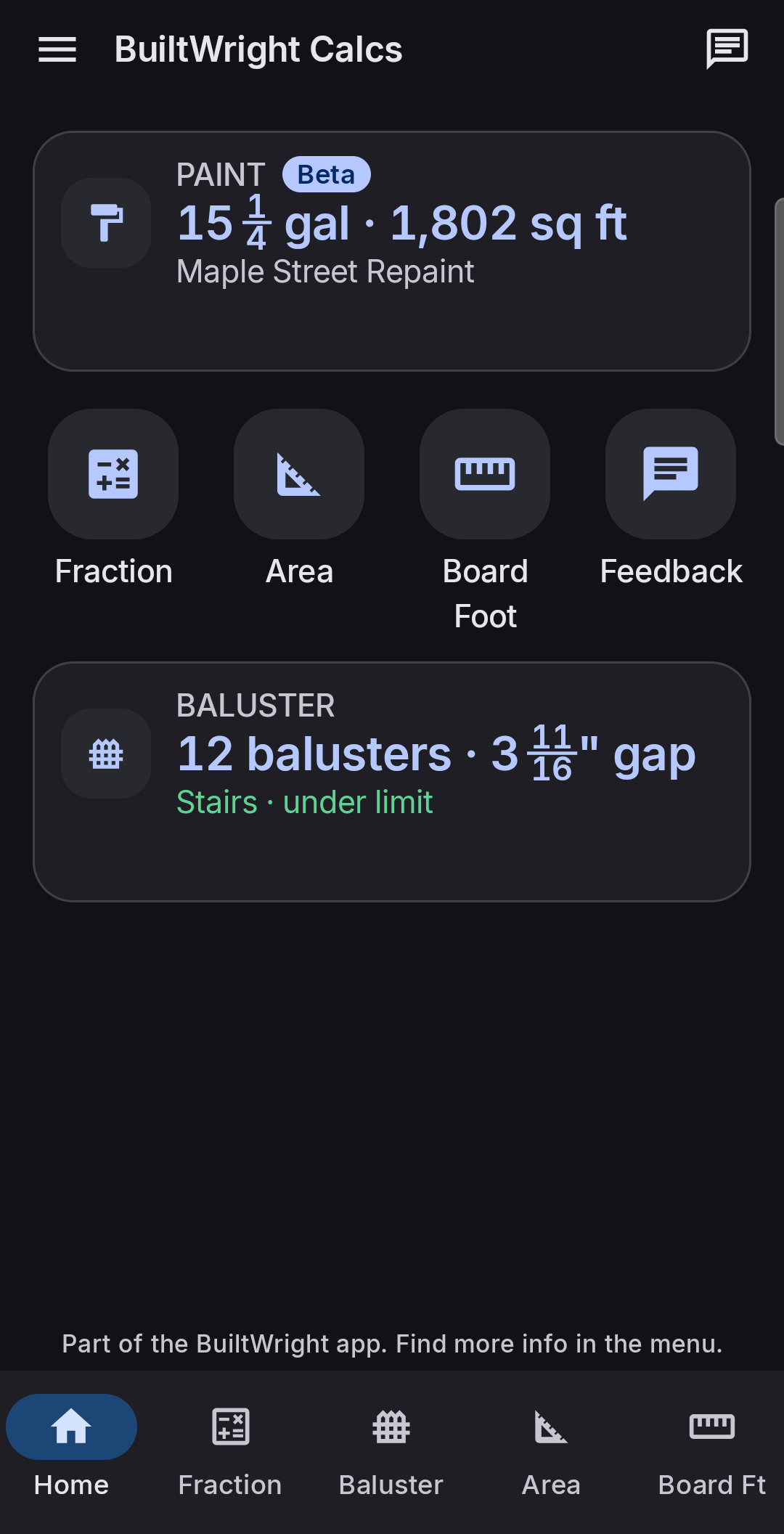
Put Paint on the home screen as an icon, or as a live tile showing the open job's gallons and square feet.
Swipe for more screens.
Ready to price. Ready to buy.
Swipe for more screens.
Your next paint job, estimated before you leave the driveway.
Paint comes with Fraction, Baluster, Area, and Board Foot in one free app. No ads, no signup, nothing to pay.
Download free for AndroidRequires Android 10 or later · Not on Google Play
Common questions
How many gallons of paint do I need for a room?
It depends on the room's size, the doors and windows, the coats, and the coverage of your paint. Paint in BuiltWright Calcs works it out from your room sizes, subtracts doors and windows, and adds closets, ceilings, trim, and primer. You get gallons for each color and sheen, rounded up to the next quarter gallon.
Is it accurate?
It's an estimate built for pricing and buying, and the app says so: round up to suit the job. It skips fine details, like the angle of crown molding. Paint is in Beta while painters check the numbers, and you can send the developer feedback from inside the app if anything looks off.
What coverage does it use?
350 square feet per gallon by default. You can change it for each job to match the paint you're using.
Does it count primer?
Yes, if you turn it on. Choose walls, ceilings, trim, or any mix, with one coat by default. Primer is listed separately, so its square footage isn't counted twice.
Is there a web version?
No. Paint is only in the Android app, so it can save your jobs and your colors. The Fraction, Baluster, Area, and Board Foot calculators work right in your browser.
Does it work offline?
Yes. Paint and everything else in the app work with no signal, so you can estimate in a basement or an empty new build.
Is it free?
Yes. The whole app is free, with no ads, no signup, and no paid version.
Need a quick number right now? Use the calculators in your browser.